Harmonica practice app

Harpa

Learn harmonica one note at a time. Follow the glowing hole, ride the breath wave, and let Harpa listen to check your notes.

Coming to Google Play Free · no ads
Pin-up poster art of a woman with red lips and red nails playing a harmonica
Harpa
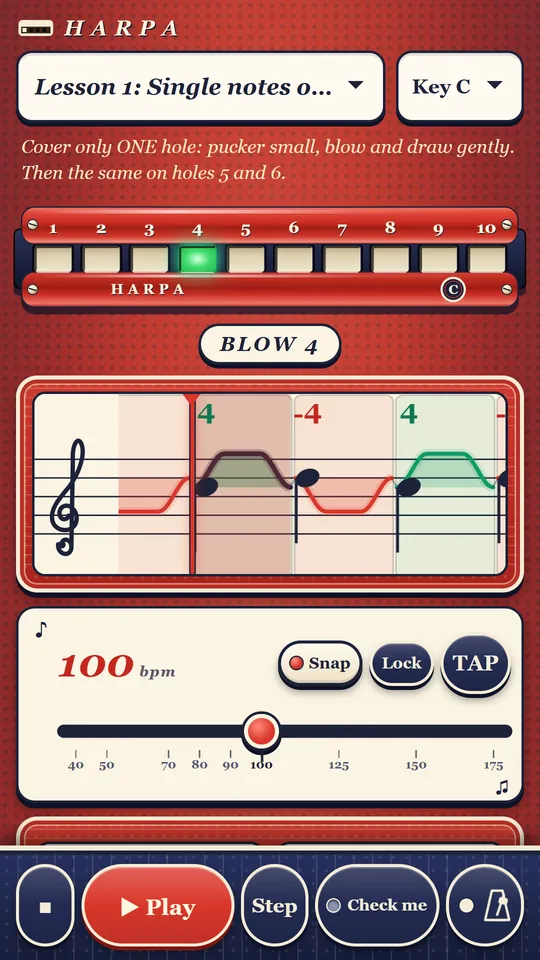
Harpa in its red Pin-up look: a red harmonica with hole 4 glowing green, the breath wave on a music staff, tempo at 100 bpm
Tonight's program

What's in Harpa

Everything a beginner needs to go from the first clean note to a whole tune.

  1. No. 1

    Lessons with a breath wave

    The right hole glows on a harmonica on screen. A wave on the staff shows when to blow and when to draw, note by note.

  2. No. 2

    Check me

    Turn on the mic and Harpa tells you if you hit the note. The sound is checked on your phone and never leaves it.

  3. No. 3

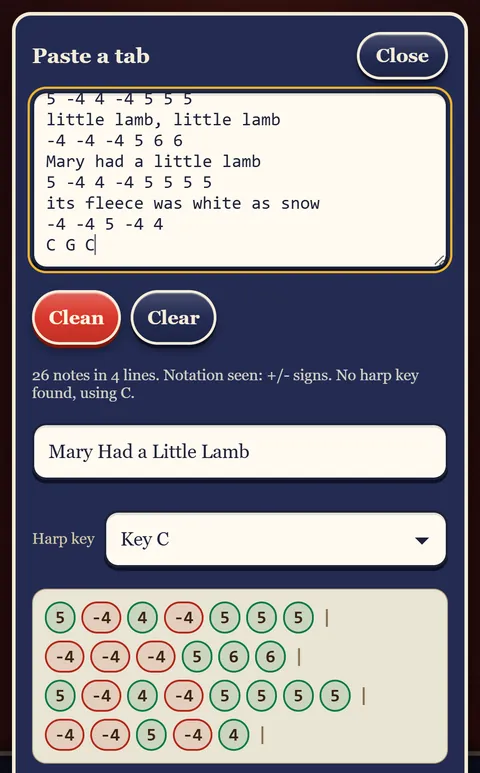
    Paste your own tabs

    Found a tab you like? Paste it. Harpa clears out the lyrics and chords and keeps the notes you can play.

  4. No. 4

    Tempo, loop, metronome

    Slow a hard part right down, loop it until your breath knows the way, and keep time with the metronome.

  5. No. 5

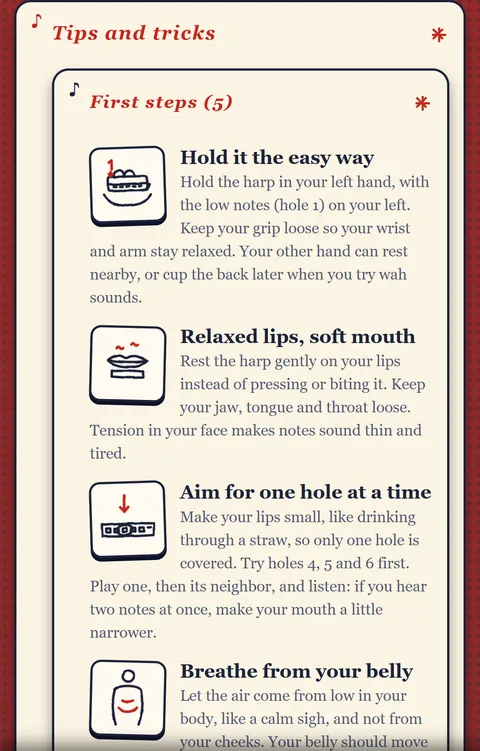
    Tips with drawings

    Short tips on holding the harmonica, relaxed lips, single holes and breathing, each with a little drawing.

  6. No. 6

    Three looks

    Pin-up red, warm Mahogany wood, or a bright Daylight look for practice outdoors. Switch any time.

  7. No. 7

    Keep your tabs

    Export your tabs to a file and import them again. On Android they also ride along in your phone's own backup.

  8. No. 8

    Print or save as PDF

    Turn the open tab into a clean printable sheet for your music stand, or save it as a PDF.

On the music stand

See it in action

Lesson 1: single notes on hole 4. The harmonica lights up, the breath wave scrolls, the tempo is yours.
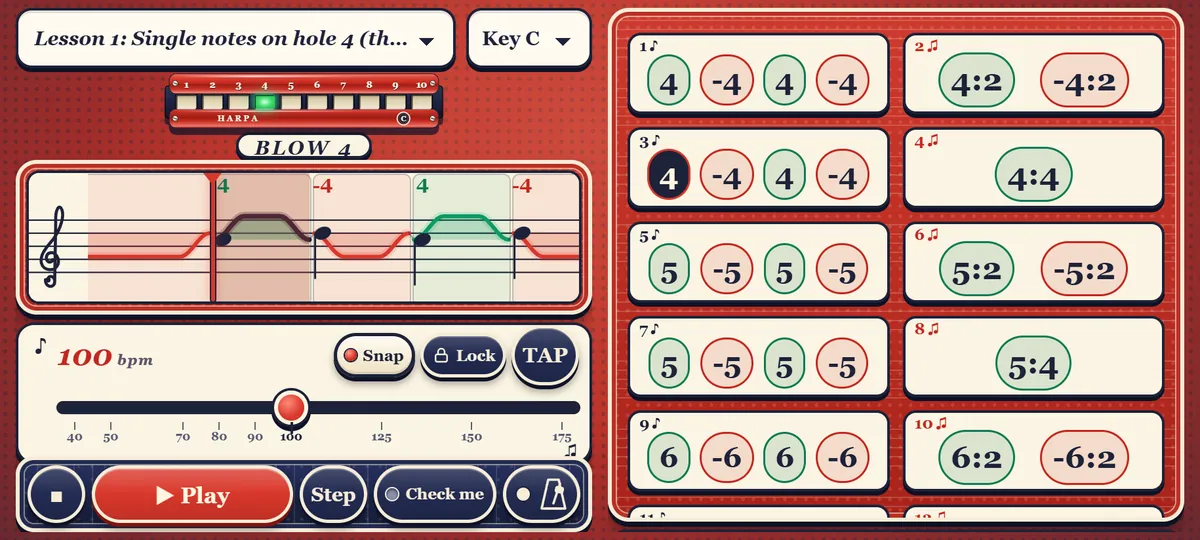
Harpa on a wide screen in the red Pin-up look: the lit harmonica, the breath wave, tempo controls and the lesson's notes
Wide screen: the whole lesson at a glance
A Harpa lesson on a phone: hole 4 glowing, blow 4, the breath wave and tempo at 100 bpm
A lesson
The Paste a tab screen: a pasted nursery rhyme turned into blow and draw notes
Paste a tab
Tips and tricks: short tips on holding the harmonica and relaxed lips, each with a drawing
Tips with drawings
A note from us

Free, and staying that way

  • Free. No ads, nothing locked, no account.
  • Your playing stays private. The mic check runs on your phone. The sound never leaves it.
  • Your tabs stay with you. Export, import, and your phone's own backup.
  • A tip, if you like. If Harpa helps you play, you can leave an optional tip in the app.
  • A Supporter badge. Leave a tip through Google Play and a small Supporter badge appears in the app, as our thank-you. It is saved with the app's data, so your phone's normal backup brings it back after a reinstall or on a new phone. A tip can't be restored from the store, so a phone set up without a backup starts without it.

Alex and Vika Glonti

To: everyone who
always wanted to
play the harmonica
Par avion · Airmail
Almost here

Coming soon to Google Play

Harpa starts with a closed test on Android, then opens to everyone.

Coming to Google Play
← Nomad Devs